Setting up an account on a digital trading platform looks simple on the surface, but skipping small details during sign-up often creates frustrating hurdles later when you attempt to withdraw your capital. Approaching your Quotex registration with a safety-first mindset ensures that your profile remains secure, your identity passes verification without friction, and your account settings match your long-term preferences from day one.
What to Decide Before Filling Out the Sign-Up Form
Before launching the registration page, take a moment to prepare two vital details: your official personal information and your preferred base currency. If you want a direct overview of account setup steps, review our detailed guide on how to create a Quotex account.
When you register, you will be prompted to select a currency for your account wallet, such as USD, EUR, GBP, or local currency options depending on your region. Choose carefully. This currency dictates how your deposits, balances, and potential withdrawals are calculated. Changing your primary currency after account creation often requires contacting customer support or closing the account to open a new one, so select the currency that matches your primary bank account or payment method to minimize exchange conversion fees.
Equally critical is ensuring that the full name, birth date, and residential details you use match your official government-issued ID exactly. Using nicknames, truncated names, or temporary addresses during Quotex registration will trigger discrepancies during identity verification later, potentially locking your funds until corrected.
Step-by-Step Account Creation
Creating your profile is straightforward, but taking a cautious approach during registration protects your credentials from the start.
- Access the Official Portal: Double-check the URL in your browser’s address bar before entering any information. Web spoofing is a common threat, so confirm you are on the legitimate platform domain.
- Choose Your Registration Method: You can register using a valid email address or via direct social login credentials (such as Google or Facebook). Registering directly with an email address is generally recommended, as it gives you independent control over your login credentials without relying on third-party social media access.
- Create a Robust Password: If registering via email, generate a unique password combining uppercase letters, lowercase letters, numbers, and symbols. Avoid reusing passwords from email or banking accounts.
- Select Your Currency and Accept Terms: Mark your preferred base currency and carefully read the platform service agreement before checking the box to accept the terms.
Securing Your Account Credentials and Setting Up 2FA
Once you submit the registration form, your immediate next step must be securing your profile before making any financial transactions. Navigate directly to your profile settings to activate Two-Factor Authentication (2FA).
Two-Factor Authentication adds an indispensable layer of protection by requiring a time-sensitive code from an authenticator app (such as Google Authenticator) whenever a login attempt or withdrawal request is made. Even if a malicious party steals your password, 2FA prevents unauthorized access to your funds. Save your emergency backup recovery keys in an offline, safe location during 2FA setup in case you lose access to your primary mobile device.
Testing Strategies on the Demo Account
Immediately after finishing your Quotex registration, you gain access to a pre-funded demo account containing $10,000 in virtual funds. Resist the urge to deposit real money right away.
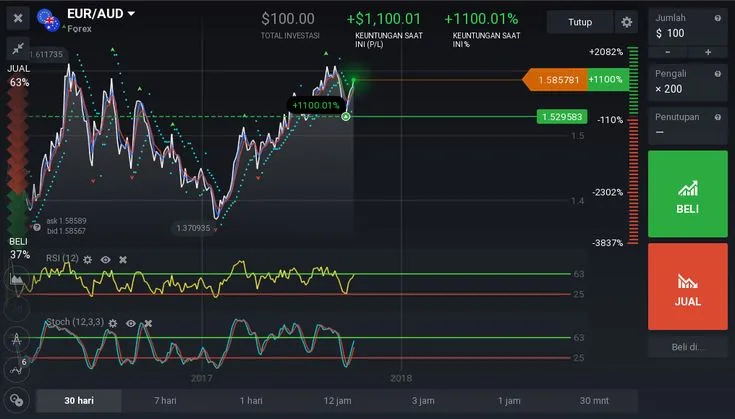
The demo environment mirrors live market pricing and platform tools, allowing absolute beginners to explore the trading interface, test order execution, and observe market volatility without financial exposure. Spend time learning how to adjust trade durations, configure chart indicators, and manage position sizes responsibly.
Risk Warning: Trading financial instruments involves significant risk and can result in the complete loss of your deposited capital. Educational materials and demo environments exist solely for skill development and market familiarization; they do not guarantee future performance or serve as personalized investment advice. Never trade with money you cannot afford to lose.
Clearing Identity Verification (KYC) Without Delays
Identity verification, known as Know Your Customer (KYC), is required to ensure regulatory compliance, prevent financial fraud, and enable full account features like real-money withdrawals. Completing KYC early prevents unwanted delays when you decide to cash out profits.
To pass verification on your first attempt, follow these guidelines when uploading documents:
- Identity Proof: Upload a clear, unedited photo or scan of a valid passport, national ID card, or driver's license. All four corners of the document must be visible, and text must be completely legible without flash glare or shadows.
- Proof of Address: If requested, provide a recent utility bill, bank statement, or official government document issued within the last 3–6 months that clearly displays your full name and current residential address.
- Consistency Check: Ensure the spelling of your name and address on the document matches the profile information you entered during sign-up word for word.
Frequently Asked Questions
Is it better to register on Quotex using an email address or a social media account?
Registering with a dedicated email address is generally safer and more flexible than using a social media connection. It allows you to create independent login credentials, prevents account lockout if your social account is compromised or suspended, and makes setting up dedicated two-factor authentication simpler.
Can I change my base account currency after completing Quotex registration?
Once selected during account creation, changing your primary wallet currency directly in settings is usually not supported. To change your base currency later, you typically need to contact support or close your current account and register a new one using your correct details and preferred currency selection.
Why is my KYC document being rejected during account verification?
Common reasons for document rejection include blurry photos, obscured document corners, heavy glare from flash photography, or details that do not match the profile name entered during registration. Submitting expired IDs or utility bills older than 90–180 days will also lead to rejection.



Comments
No comments yet.
Leave a comment
Comments are moderated and will appear after approval.